PLC Push Messages
PLC Push Messages are a way for a PLC to push a message dialog to its mobile devices. The message text and details can be configured on MVS Server via the PLC Push Message page.
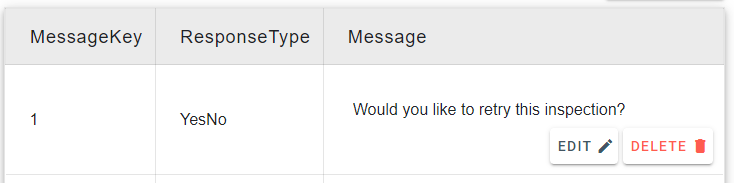
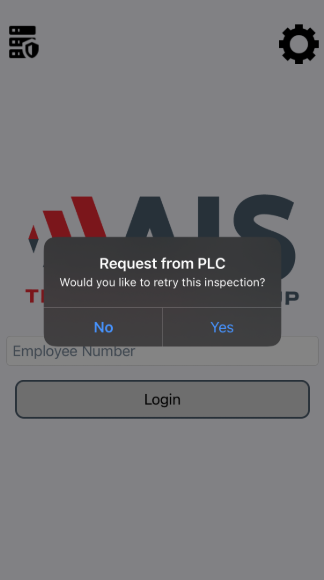
These messages will display a dialog on the device, with configurable response options:
The following options can be configured:
MessageKey: This value is the unique ID of the message used for I/O with the PLC. When the PLC wants to push a message to the mobile client, it will specify theMessageKeyof the message it would like to send.ResponseType: This value allows you to configure the expected response type available to the user. It will change what button's or fields are visible on the dialog of the mobile device when it receives a message. Some examples are as follows:OK: Display 1 button to the user with the textOk.OkCancel: Display 2 buttons to the user, one withOkthe other withCancelYesNo: Display 2 buttons to the user, one withYesthe other withNoCustomText: Allow the user to enter a custom text field.CustomNumber: Allow the user to enter a custom numeric valuePassword: Allow the user to enter a password.PIN: Allow the user to enter a 4 digit pin.
Message: The text to display to the user.
PLC Logic Overview
When a PLC instance invokes the SendMessage command it will send the message with the corresponding MessageKey. The message will be sent to any Cameras registered to that PLC Instance. Once one Camera responds to the message, the result will be returned to the PLC. For more details on the specifics of the PLC Logic, see here.